
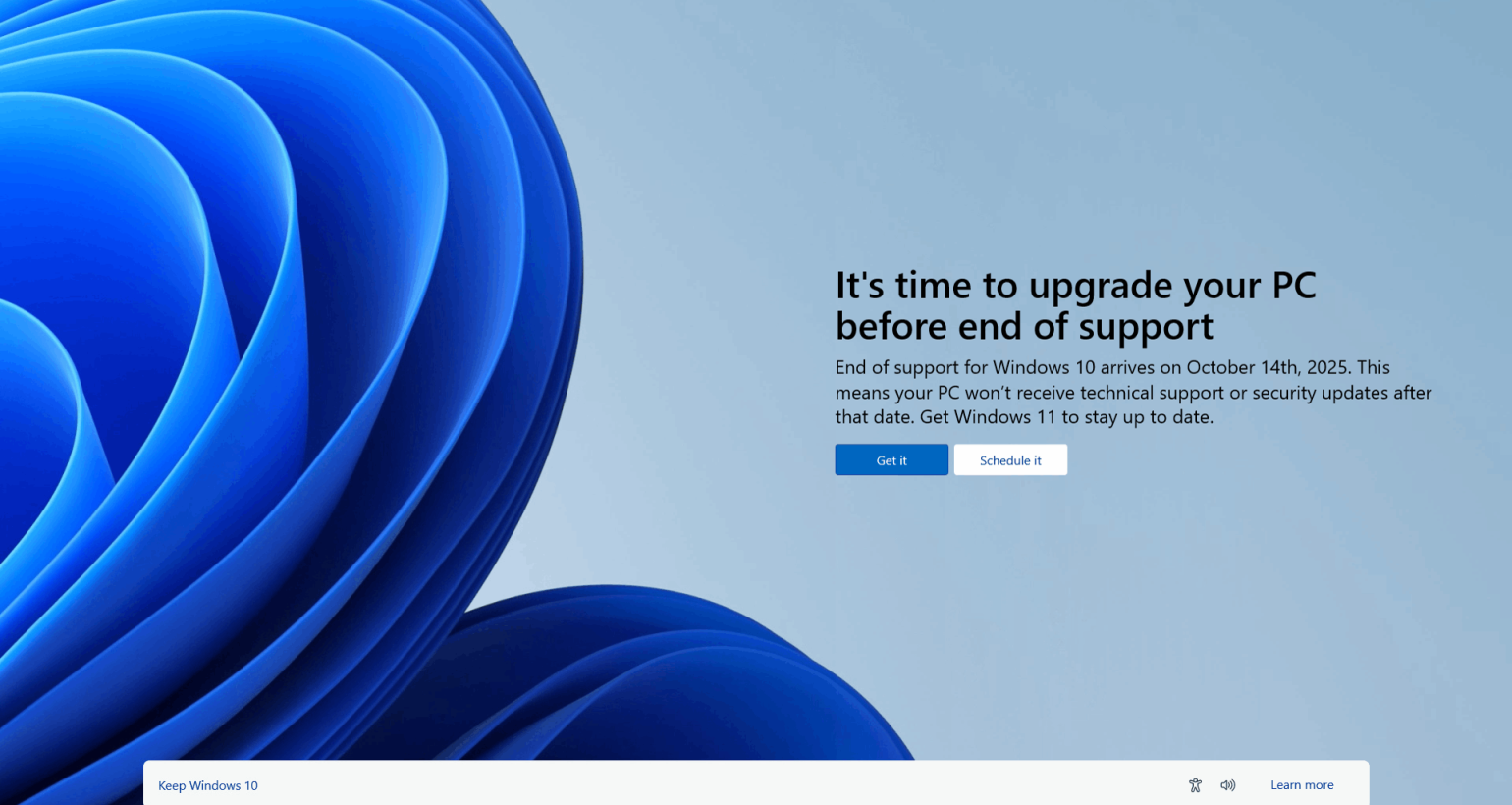
Microsoft has officially announced that support for Windows 10 will end on October 14, 2025. As one of the most widely used operating systems in the world, Windows 10’s retirement marks a significant shift in the tech landscape. If you’re a Windows 10 user—whether you’re running a personal device, managing business systems, or supporting enterprise infrastructure—this change has important implications. Here’s what you need to know and how to prepare.
Why Is Microsoft Ending Support?
Microsoft follows a fixed lifecycle policy for its operating systems. Windows 10 was released in July 2015, and Microsoft committed to providing 10 years of support. As we approach the 10-year mark, Microsoft is focusing its attention on newer platforms like Windows 11 and beyond, aiming to streamline development and support efforts across fewer versions.
What Happens After October 14, 2025?
After the end-of-support date:
-
No more security updates: Devices running Windows 10 will no longer receive patches for newly discovered vulnerabilities.
-
No technical support: Microsoft’s customer service will stop providing assistance for Windows 10 issues.
-
No feature updates: There will be no new features or improvements for Windows 10.
-
Increased risk: Without security updates, systems become more vulnerable to malware, ransomware, and other cyber threats.
Will Windows 10 Still Work?
Yes—Windows 10 will continue to function after October 2025. However, running an unsupported operating system poses serious risks, especially for users with sensitive data or business-critical applications.
What Are Your Options?
1. Upgrade to Windows 11
The most straightforward path is upgrading to Windows 11, which offers a more modern user interface, enhanced security, and new features. However, not all devices that run Windows 10 meet the hardware requirements for Windows 11, including TPM 2.0 and specific CPU compatibility.
To check if your PC is eligible, you can use Microsoft’s PC Health Check tool.
2. Replace or Upgrade Hardware
If your current PC doesn’t support Windows 11, you may need to consider upgrading your hardware. While this is an added cost, it ensures long-term security and access to the latest features.
3. Extended Security Updates (ESU)
Microsoft has announced a paid Extended Security Updates program for users who need to continue using Windows 10 beyond 2025—primarily for enterprise and education customers. This provides a temporary lifeline, but it’s meant to give organizations more time to transition, not serve as a permanent solution.
4. Switch to an Alternative OS
For tech-savvy users or organizations open to change, Linux-based operating systems can be a viable alternative. However, this requires retraining and potential software adjustments, so it’s not suitable for everyone.
How to Prepare Now
-
Audit your devices to see which are running Windows 10.
-
Determine upgrade eligibility and start planning a transition timeline.
-
Backup important data before performing any system upgrades.
-
Educate users on new features and changes in Windows 11.
-
Stay informed: Microsoft will likely release more guidance and tools as the deadline approaches.
Final Thoughts
While 2025 might seem far off, transitioning from an operating system is a significant task—especially for businesses with large deployments. Starting your planning now can save time, money, and headaches later. The end of Windows 10 support isn’t the end of the world—but it is the start of a new chapter in Microsoft’s ecosystem. Make sure you’re ready.
Let me know if you’d like this adapted for a specific audience (e.g., businesses, consumers, IT professionals) or reformatted for email, social media, or presentation slides.
